Free XML Sitemap Validator: Check Your Sitemap for Errors Instantly
Free XML Sitemap Validator: Check Your Sitemap for Errors Instantly
Every website that depends on organic search eventually runs into the same question: is the XML sitemap it submits actually clean, or is it quietly feeding search engines broken information? A Free XML Sitemap Validator answers that question without cost, but only if it is used with a defined procedure. This guide walks through that procedure in the way a working technical SEO specialist would apply it, from collecting the sitemap sources to deciding which warnings deserve action. Throughout, the aim is to show what to check, why each check matters, and how to act on the result. Learn more about the tool-based workflow that PromoPilot™, a provider of cascade link building and SEO tools for website owners and SEO specialists, uses when auditing sitemaps alongside link structures.

Preparing the Sitemap Validation Environment
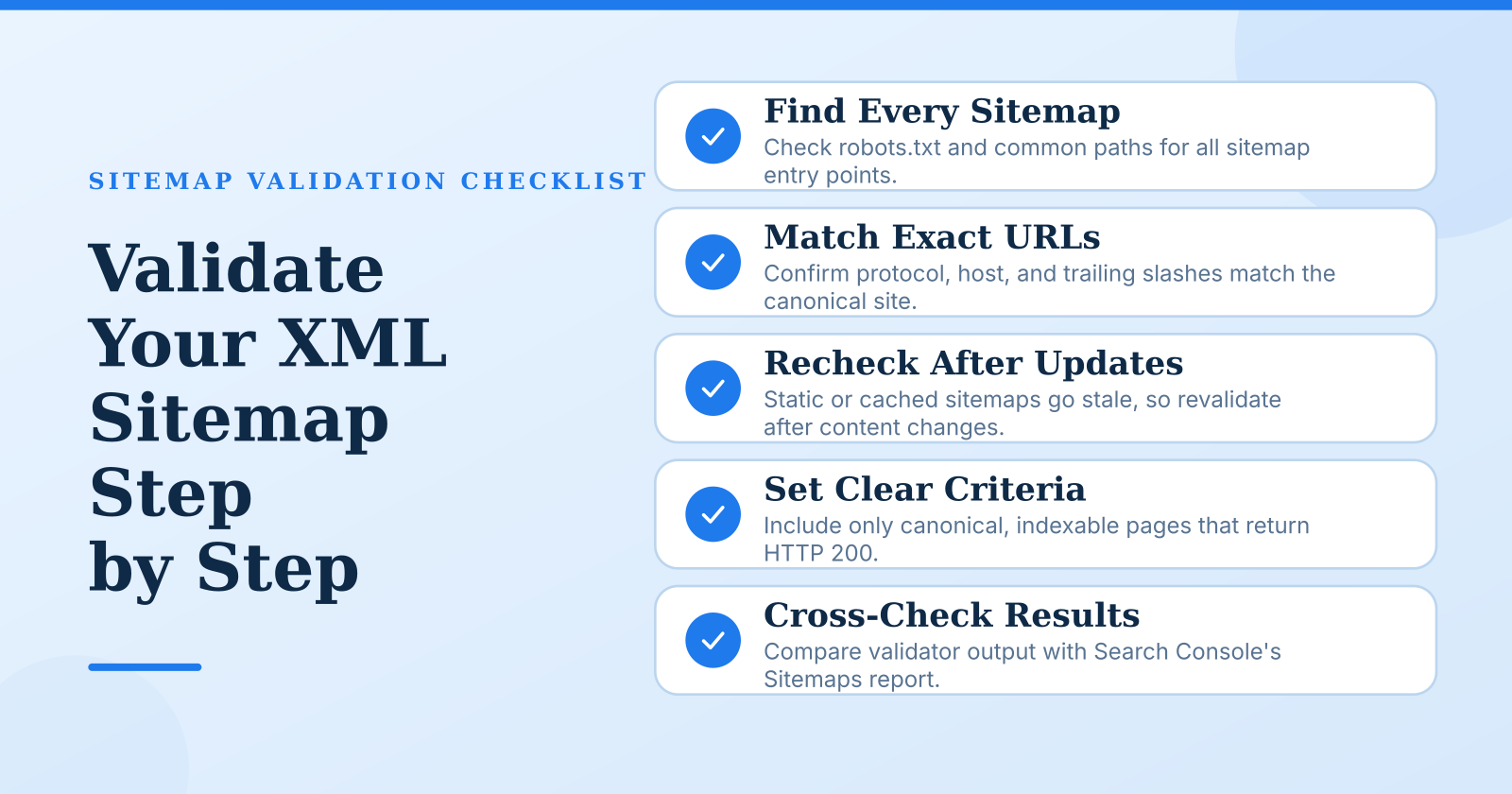
Validation starts before any file is uploaded, because the most common mistake is validating the wrong sitemap. A site rarely has a single sitemap. The root sitemap, one or more sitemap index files, and child sitemaps referenced from robots.txt may all exist at once, and each can be served from a different path. Begin by listing every entry point. Open robots.txt, search for Sitemap: directives, and then check the common paths such as /sitemap.xml and /sitemap_index.xml. Record the exact URL of each file, including the protocol (https versus http), the host (with or without www), and whether trailing slashes change the response. A sitemap served at one host while the canonical site lives at another is a frequent source of errors that a validator will flag only if you feed it the right address.
Advisory warnings, such as an unusual changefreq value, do not stop anything and can be deprioritized
Next, determine how each sitemap is produced. A file generated dynamically by a CMS plugin can change on every request, so a validation run reflects only the moment it was fetched. A file exported manually from a crawler is a static snapshot that goes stale after the first content update. A CDN may also cache an older copy, meaning the validator passes a file that the search engine no longer sees. Knowing the generation method tells you how often revalidation is needed and whether a passing result can be trusted for more than a few hours.
Finally, choose the validator and prepare a cross-check source. A free validator should support the sitemaps.org protocol, handle sitemap index files that point to child sitemaps, and accept gzip-compressed input. Verify these capabilities on a known-bad test file before relying on the tool. Alongside the validator, keep Google Search Console open with the property for the site, since its Sitemaps report shows how the search engine itself fetched and parsed each file. Having a plain-text or XML linter available is also useful for catching malformed encoding that validators sometimes report only vaguely.
Define acceptance criteria before running anything. Decide which URL classes belong in the sitemap, typically canonical, indexable pages that return HTTP 200, and which must be excluded, such as redirects, parameterized duplicates, and noindexed pages. Set the size limits as hard thresholds: a single sitemap file may contain no more than 50,000 URLs and must not exceed 50 MB uncompressed. Writing these standards down first prevents the common drift where a warning is ignored on one run and treated as critical on the next.
Running the Validation Step by Step
Submit the sitemap by entering its URL or uploading the file, depending on the tool's input method. URL entry is preferable because it tests what a crawler actually receives, including headers such as Content-Type and Content-Encoding. For a sitemap index, validate the index file first, then validate each child sitemap separately. Do not assume that a clean index means clean children: the index only confirms that the references exist and are well formed, not that the URLs inside the children are valid. Record the timestamp and the tool version with each result so that a later comparison is reproducible, since validators update their rules and a score change may reflect the tool rather than the site.
Structural errors come first because they can block the entire file. Check the XML declaration, the root element, and the namespace, which must be http://www.sitemaps.org/schemas/sitemap/0.9. A missing or misspelled namespace causes some parsers to ignore every URL silently. Look specifically for unescaped ampersands in query strings. A URL such as ?category=shoes&size=10 must be written as & inside the <loc> element, and this is the single most frequent cause of parse failure on dynamically generated sitemaps. Confirm that every <url> block contains a <loc> tag, because that element is the only required one, and that optional tags use valid formats when present.
URL-level validity is where most real problems appear. Every URL must be absolute, use an allowed protocol, and match the canonical host the site uses. Flag any URL that returns a status other than 200, including 301 and 302 redirects, 404 responses, and pages that carry a noindex directive. Sitemaps containing redirected or noindexed URLs send conflicting signals: the file says "index this" while the page says "do not index this." Also detect duplicate entries and mixed variants such as http and https versions of the same page, or www and non-www versions, which compete with each other for the same ranking signal.
Lastmod, changefreq, and priority require different handling. The lastmod value must follow the W3C datetime format, such as 2024-05-14 or a full timestamp with time zone, and it should reflect the date the content actually changed rather than the date the sitemap was generated. Search engines have stated that they rely on lastmod when it is accurate, so a sitemap where every URL shows the current date is effectively useless as a freshness signal. Changefreq and priority are advisory hints. Check that they are syntactically valid, but do not spend effort optimizing them, since search engines have said they largely disregard these values. A warning that every URL has identical priority is worth noting as a sign of auto-generated output, not as a ranking problem.
Criteria Checklist for a Clean Sitemap
A sitemap is considered clean when it satisfies the following conditions, which can be checked against the validator report and the live file: Before running any check, it helps to confirm which version of the file your site actually serves, and a Learn more about the sitemap validator covers how to test the live URL directly.
- The XML is well formed, declares the correct namespace, and is encoded in UTF-8.
- Every URL is absolute, canonical, and returns HTTP 200.
- The file contains no duplicates, no redirecting URLs, and no noindexed pages.
- Each file stays within 50,000 URLs and 50 MB uncompressed.
- A sitemap index references only valid, reachable child sitemaps.
- Lastmod values use valid W3C format and reflect real content updates.
- The sitemap is referenced in robots.txt and accepted in Search Console without errors.
Treat this checklist as a gate rather than a score. A file that fails any blocking condition is not ready for submission, regardless of how many other conditions it meets. Blocking conditions are those that stop parsing or misdirect indexing, such as malformed XML, invalid URLs, and redirected entries. Lower-impact items such as optional tag formatting can be scheduled after the blocking issues are resolved.
Where Validation Efforts Commonly Go Wrong
The most frequent failure is validating a stale or cached copy. A CDN may serve a version of the sitemap that was correct last week, while the live origin now produces broken output after a deployment. Plugin-generated files can also be cached by the CMS itself. For this reason, fetch the sitemap fresh, ideally with a cache-busting parameter or after clearing the cache, and re-validate after every deployment, site migration, or plugin update. A passing result that is more than a day old should not be treated as current.
Another common error is overlooking compressed and child sitemaps. Gzipped files with the .xml.gz extension can fail silently if the validator does not decompress them, producing a report that looks clean because it parsed nothing. Confirm that the tool handles compression before trusting its output. Validating only the index file is an equally common shortcut that misses errors buried in the children, where the bulk of the URLs usually sit. Every referenced child should be validated individually.
Trusting a pass result without cross-checking is the third pitfall. A validator confirms syntax and basic URL rules, but it does not confirm that search engines are indexing the pages. Compare a sample of URLs from the validated file against the coverage data in Search Console to see whether the pages are actually indexed or excluded. Free tools may also cap the number of URLs they process, so a clean result on a truncated sample does not prove the full file is clean. Check the report for any statement of how many URLs were analyzed.
The final pitfall is misreading warnings as hard errors, or the reverse. Blocking errors such as malformed XML and invalid URLs stop indexing and need immediate correction. Sort the findings by their effect on crawling and indexing, fix the blocking items first, and then clean up the advisory ones in a planned pass. This order keeps effort focused on the problems that actually change search visibility.
A valid sitemap is a precondition for efficient crawling, not a guarantee of rankings, and the discipline that separates reliable validation from a checkbox exercise is consistency. Define the scope and thresholds before the run, validate fresh copies of every file including compressed and child sitemaps, and cross-check results against Search Console. Revalidate after each change to the site, and keep a dated record of each run so that regressions are visible rather than discovered by accident. Used this way, a free validator becomes a dependable part of routine technical maintenance. For teams that also manage link structures and need a consistent review process across both, how it works in practice is a useful reference point for building that workflow.


Комментарии
Отправить комментарий